Skip Trial and Error: Build WhatsApp Business AI Bots for Your Team
Meta Business Agent suits solo operators and low-volume shops who want automation switched on inside the WhatsApp Business app itself. A WhatsApp Business API chatbot suits teams that need CRM integration, broadcasts beyond a small contact list, or several agents working at once. Both routes carry data protection obligations worth checking before either one goes live.
TL;DR:
- Meta Business Agent suits small shops with limited queries and requires no coding, but cannot connect to external CRMs or manage large broadcast lists.
- The WhatsApp Business API is designed for larger businesses needing integrations, advanced analytics, multi-agent support, and scalable messaging.
- Setting up Meta Business Agent is straightforward, but it requires market availability, and supervision during initial deployment is essential for quality control.
- Moving to the API entails higher costs, setup through a provider, and is justified only when team coordination, automation, and compliance needs exceed the app's capabilities.
- Data protection compliance involves explicit consent and proper record-keeping; pairing the API with a UK-hosted provider simplifies ownership and audit trail management.
Table of Contents
- What is a WhatsApp business AI bot: Meta Business Agent vs API chatbot
- How do you set up Meta Business Agent on WhatsApp?
- When do you need the WhatsApp Business API instead?
- What UK data protection rules apply to WhatsApp AI bots?
- How does a consultancy actually build a WhatsApp AI agent?
- Why most businesses pick the wrong option first
- Get your WhatsApp AI bot built properly
- Sources
What is a WhatsApp business AI bot: Meta Business Agent vs API chatbot
A WhatsApp business AI bot now comes in two distinct forms, and confusing them is the most common mistake we see businesses make. Meta Business Agent is an AI feature built directly into the WhatsApp Business app. You switch it on, feed it information about your business, and it starts answering customer messages, capturing leads, and recommending products without any code.
The WhatsApp Business API is a different proposition entirely. It's a cloud platform, accessed through Business Solution Providers (BSPs), built for businesses that need the chatbot to talk to other systems, not just to customers. Meta hosts and runs the in-app agent; with the API, you or your integration partner own the build and the data flow.
The practical differences matter more than the conceptual ones:
- Integrations: the self-serve Meta Business Agent doesn't connect to external CRMs or e-commerce platforms; API-based bots can plug into Shopify, Zendesk, HubSpot, and similar tools via a BSP.
- Broadcasts: the app caps broadcast lists at broadcast lists capped at a few hundred contacts, while API tiers scale messaging automatically as your sending reputation builds.
- Devices and teams: the app works on a linked-device model designed for one or two people; the API is built for multi-agent, multi-department operations.
- Ownership: conversations through the in-app agent stay inside Meta's ecosystem; API conversations flow into your own systems and databases.
- Market availability: Meta Business Agent's rollout is phased by country and language, so check eligibility before planning around it.
If you run a single shop answering the same twenty questions daily, the in-app agent removes that workload for free. If you're coordinating support across a team or feeding leads into a sales pipeline, the API is the only route that makes sense.
How do you set up Meta Business Agent on WhatsApp?
Before switching anything on, confirm your WhatsApp Business app is updated to the latest version and that Meta Business Agent is available for your account's country and language. Availability is still rolling out market by market, so some businesses will find themselves on a waitlist rather than able to enable it immediately.
Once it's available, activation follows a straightforward sequence:
- Open your WhatsApp Business app settings and locate the AI agent toggle.
- Feed the agent your business information: opening hours, product catalogue, FAQs, and common customer queries.
- Set the tone of voice you want it to use, matching how your team already replies.
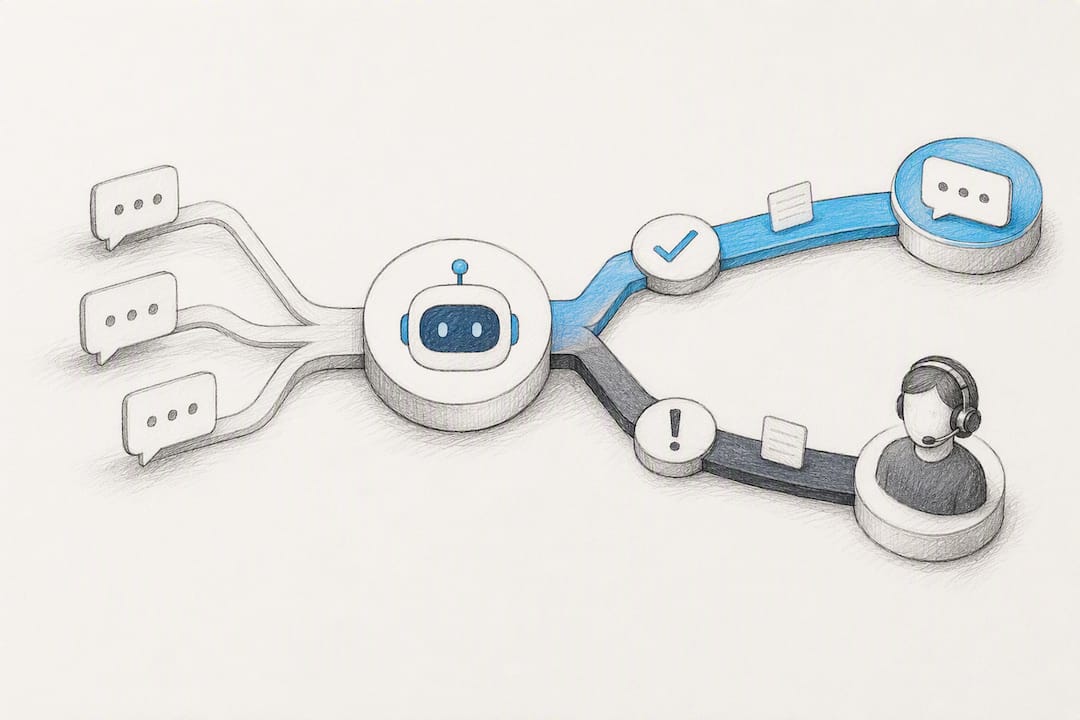
- Define handoff rules, so the agent knows when to pass a conversation to a human rather than guess.
- Send test messages from a second number to check tone, accuracy, and handoff triggers before going live.
Once live, don't leave it unsupervised. Check transcripts daily for the first fortnight, mute the agent on any conversation that turns complicated, and step in manually whenever a customer sounds frustrated.
Pro Tip: Write your handoff rules before you write your FAQ answers. If you design the escalation logic first, you avoid the common trap of building a bot that answers everything confidently, including the things it shouldn't.
When do you need the WhatsApp Business API instead?
Certain signals tell you the in-app agent has reached its ceiling. Watch for these before frustration sets in:
- You're coordinating replies across more than one or two team members and messages are getting missed or duplicated.
- You need the bot to check stock, pull order status, or update a CRM record mid-conversation.
- Your broadcast list has grown past the 256-contact cap and you're running regular campaigns, not occasional updates.
- You need analytics beyond basic read receipts, such as conversion tracking or response-time reporting.
- You operate in a regulated sector where audit trails and data retention controls matter more than convenience.
The operational contrast is stark in practice. A single-location café using the in-app agent to answer opening-hours questions has no reason to move. A retailer running weekly promotions to 5,000 subscribers, syncing orders into Shopify, and staffing three support agents has already outgrown what the app can do, regardless of how well configured it is.
Moving to the API means onboarding through a BSP, which typically involves setup and messaging fees rather than the free self-serve agent. That cost buys unlimited agents, proper integrations, and message volume that scales with your business rather than against it. Enterprise-tier agent options also exist for larger organisations, though access remains limited and phased.
What UK data protection rules apply to WhatsApp AI bots?
Every message your bot sends or receives is personal data, and UK GDPR applies whether the reply comes from a human or an algorithm. Businesses relying on Meta's infrastructure should read the WhatsApp Business UK Data Transfer Addendum, which sets out controller and processor roles and the safeguards covering transfers to WhatsApp LLC.
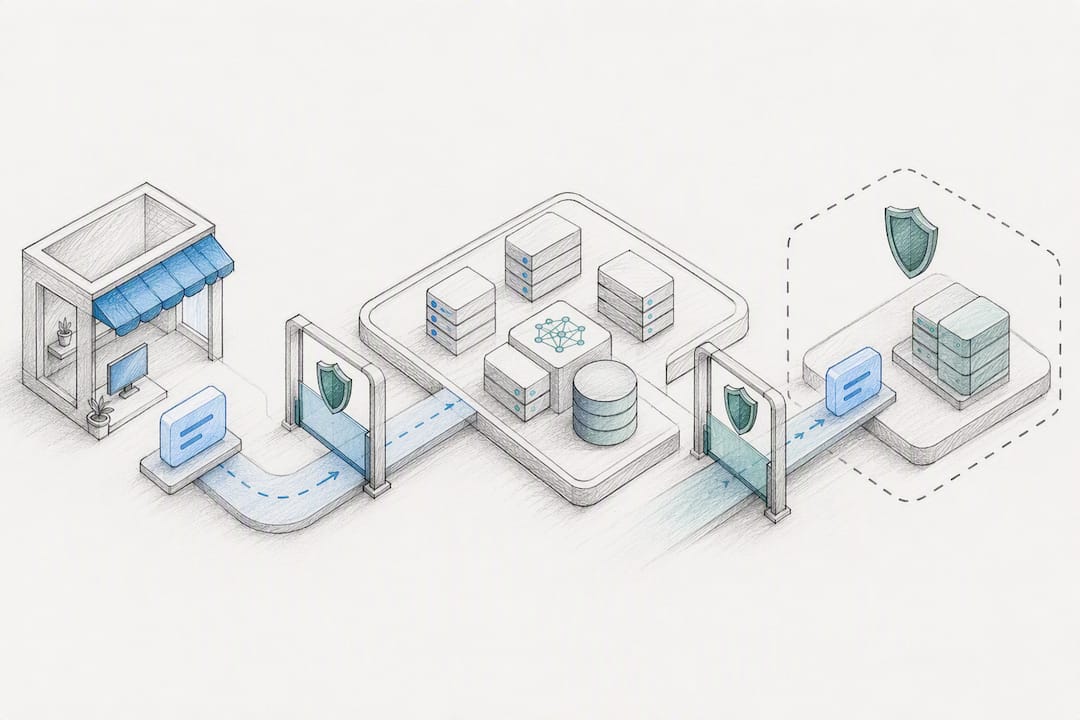
Consent is the part businesses most often get wrong. PECR requires prior consent before sending marketing messages on WhatsApp, and a customer messaging you first about a delivery does not count as opt-in for promotional content later.
Build these into your process:
- Update your privacy policy to name WhatsApp as a processing channel and explain what the AI bot does with messages.
- Capture opt-ins explicitly, separate from any customer service enquiry, and keep a record of when and how consent was given.
- Action opt-outs immediately, not at the next campaign cycle.
- Have a process ready for subject access requests and erasure requests that includes WhatsApp conversation history.
For businesses handling sensitive data, relying on personal devices and app-based storage makes subject access requests harder to fulfil consistently. Pairing the API with a UK-hosted BSP setup generally makes retention and audit trails easier to manage than the in-app agent's more informal record-keeping.
How does a consultancy actually build a WhatsApp AI agent?
Deploying either option well takes more than flicking a switch, and this is where most in-house attempts stall because they lack expertise in AI conversational tools like AI Chat Bots: Expert Virtual Assistants, Instantly | AmmarAI. A structured build typically runs through five phases:
- Discovery and data collection: gathering FAQs, product catalogues, and policy documents to form the knowledge base the agent will draw from.
- Agent design: mapping conversation flows, tone, and the exact points where a human should take over.
- Integrations and webhooks: connecting the bot to CRM, order management, or booking systems where the API route is chosen.
- Testing and soft launch: running the agent against real customer queries before full rollout, catching gaps before customers do.
- Monitoring and optimisation: reviewing transcripts, refining answers, and adjusting escalation rules as new query types emerge.
The knowledge base stage matters more than businesses expect. Retrieval-augmented generation, or RAG, is the standard architecture for grounding an agent's answers in a company's actual documents rather than generic training data, which keeps responses accurate and traceable back to a source.
Before briefing a supplier, ask who owns the data, how escalation rules are defined, what reporting you'll receive post-launch, and whether ongoing support is included or billed separately. Real-studios structures service automations around exactly this sequence, with post-launch support built in rather than treated as an afterthought.
Pro Tip: Ask any WhatsApp bot vendor to show you a real conversation transcript from a live deployment, not a demo script. Scripted demos hide the handoff failures that matter most.
Why most businesses pick the wrong option first
The conventional advice treats this as a technology decision. It isn't. It's a staffing and volume decision dressed up as one. Most businesses default to whichever option sounds more sophisticated, usually the API, because it feels like the "proper" choice, when a single-location business with a handful of daily enquiries gains nothing from integrations it will never use.
The bigger blind spot is consent. Businesses spend weeks debating conversation design and almost none debating whether their opt-in process would survive a regulator's scrutiny. That imbalance is backwards. A brilliant bot built on an unlawful messaging list is a liability, not an asset.
What we'd prioritise first isn't the platform choice at all. It's mapping your actual query volume and team structure honestly, then building the consent and data-handling process before writing a single conversation flow. Get that sequence right, and the choice between Meta Business Agent and the API often answers itself.
— Oded
Get your WhatsApp AI bot built properly
Our consultancy offers an alternative to trial-and-error self-serve setup for businesses that need their WhatsApp bot connected to real systems, not just switched on. Where the in-app agent stops at answering questions, some consultancies build agents that pull order data, update CRM systems, and hand off to the right person automatically, often using RAG-based knowledge frameworks.
This approach suits businesses that have already outgrown Meta Business Agent or want to skip the trial-and-error phase entirely and go straight to an API-based build with integrations to existing tools. If your query volume, team size, or compliance needs point towards the API route, explore our service integrations and get a scoped plan for what your business actually needs before you commit to a build.
Sources
- About using Meta Business Agent to chat with customers
- WhatsApp Business UK Data Transfer Addendum
- Meta Business Agent vs WhatsApp Business API: The Real Difference