Stop Leaks, Hit p95 Under 900ms: Confluence RAG Structure, ACLs, Repos
The right approach combines structure-aware ingestion with recursive chunking, hybrid retrieval, and permission-aware filtering. Fetch pages through the REST API with CQL scoping (or a purpose-built connector), preserve headings and table structure through parsing, embed with a modern sentence-transformer model, then run BM25 alongside dense vectors before a cross-encoder reranks the results. Enforce ACLs at retrieval time, cap the reranker pool for latency, and never treat this as prompt engineering.
TL;DR:
- Using CQL label scoping for content ingestion prevents stale or irrelevant pages from polluting retrieval quality.
- Recursive, structure-aware chunking that preserves headings and tables significantly improves retrieval relevance and answer accuracy.
- Embedding models in the
bge-largeortext-embedding-3family balance accuracy and latency, with hybrid BM25 and dense vector search outperforming single methods.- Attaching versioned ACL metadata during indexing and filtering results by user identity at query time is essential to prevent access to restricted Confluence pages.
- Achieving latency below 900 milliseconds with a top five rerank pool and hybrid retrieval setup is feasible for production-grade Confluence RAG pipelines.
Table of Contents
- What is Confluence RAG integration?
- How do you fetch and chunk Confluence pages for RAG?
- Which embedding models and vector stores work best?
- How do you stop RAG from leaking restricted Confluence pages?
- What tools and starter repos speed up implementation?
- How do you keep a Confluence RAG pipeline reliable in production?
- Why does data engineering decide whether this works?
- The uncomfortable truth about Confluence RAG projects
- Get help building your Confluence RAG pipeline
- Sources
- FAQ
What is Confluence RAG integration?
Confluence RAG integration means connecting your organisation's Confluence workspace to a retrieval-augmented generation system, so an LLM can answer questions grounded in your actual documentation rather than its training data. Most teams get the concept right and the execution wrong. The failure point is rarely the model. It's the pipeline that feeds it.
The architecture breaks into distinct stages, and each one has a specific job:
- Fetch: pull pages from Confluence via the REST API or CQL, scoped to relevant spaces or labels.
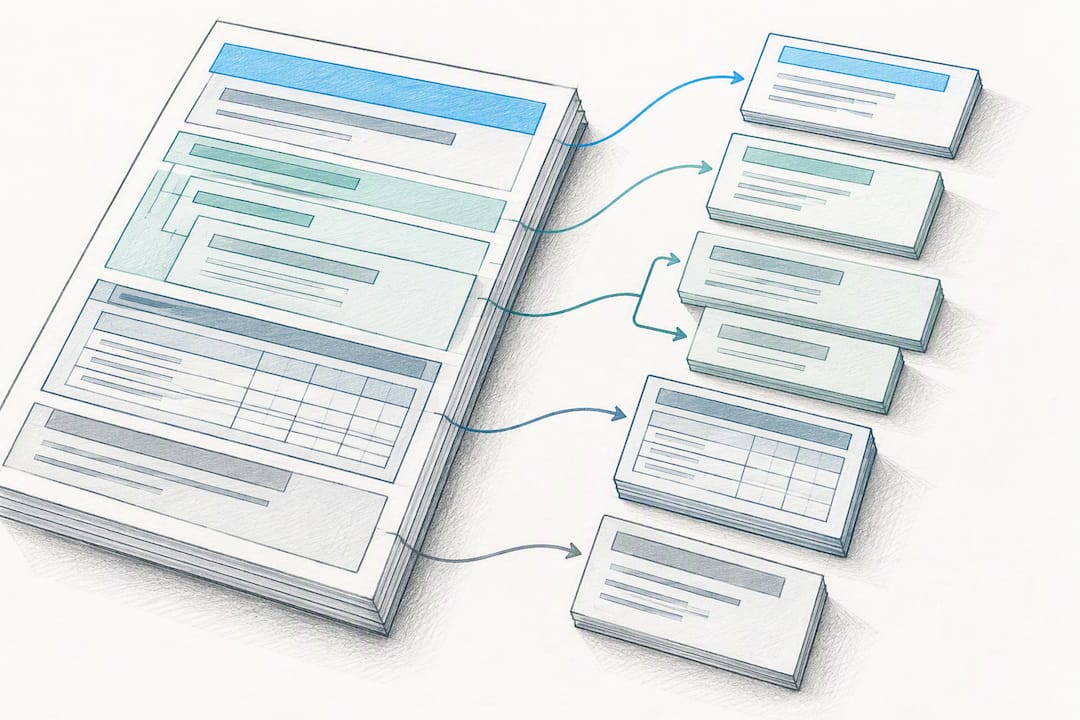
- Parse and chunk: convert Confluence storage format into typed blocks (headings, paragraphs, tables) and split them into retrieval-sized units.
- Embed: convert chunks into vectors using a sentence-transformer or similar model.
- Index: store vectors in a database like Weaviate or Qdrant, alongside a BM25 keyword index.
- Retrieve: query both indexes in parallel, fuse results, and rerank with a cross-encoder.
- Generate: pass the top chunks, with metadata, to the LLM for a grounded answer.
Permission checks slot in at index time and again at query time, not just once. Incremental sync sits between fetch and parse, comparing page version numbers so you only reprocess what's changed. Three guardrails hold the whole thing together in production: a rerank pool cap to protect latency, a p95 latency target you actually measure, and a Retrieval@k score against a golden query set so you know whether changes help or hurt.
How do you fetch and chunk Confluence pages for RAG?
Start by deciding what belongs in the index, not how to index it. Whole-space ingestion drags in stale drafts, meeting notes, and abandoned pages that pollute retrieval quality. A tighter approach uses CQL label-based scoping, such as label = "rag-kb", to create a deliberate, auditable boundary around content that's actually meant for retrieval.
- Authenticate and fetch. Use the Confluence REST API with an API token or OAuth 2.0, pulling
body.export_viewor storage format. Watch rate limits on Cloud instances and batch requests where the API allows it. - Parse into typed blocks. Break each page into headings, paragraphs, table rows, and list items rather than flattening everything into plain text. Preserve table row and column coordinates so a pricing table doesn't turn into a meaningless string.
- Chunk recursively. Walk the heading tree from H1 to H3, and subdivide any section that exceeds your token limit. Prepend a breadcrumb (page title → section → subsection) to each chunk so it carries context even in isolation, and apply a small overlap between adjacent chunks.
- Handle attachments. Convert Word and Excel files to text and tables, then index them as separate chunks referencing the parent page.
- Sync incrementally. Store a version watermark per page and reindex only what changed. Webhooks give near real-time updates; polling every few minutes is simpler and usually good enough.
This structure-aware approach isn't cosmetic. Recursive contextual chunking that preserves heading hierarchies and table rows materially improves retrieval relevance compared with naive fixed-length splitting. It also helps to fix the source: pages built with consistent templates and no more than three heading levels chunk far more cleanly than freeform documentation.
Pro Tip: Run a documentation audit before you build the pipeline. Confluence pages with buried headings or merged table cells will produce broken chunks no matter how good your chunking code is.
Which embedding models and vector stores work best?
Embedding model choice is a trade-off between accuracy, cost, and dimensionality, not a single "best" answer. Models in the bge-large and text-embedding-3 family strike a workable balance for most Confluence corpora: strong retrieval accuracy without the latency cost of the largest models. Smaller sentence-transformer models cut cost and speed things up, at some precision loss on nuanced technical queries.
Vector store choice depends on scale and operational appetite:
- Weaviate: strong hybrid search support out of the box, good for teams wanting BM25 and dense vectors in one system.
- Qdrant: lightweight, fast to self-host, a common choice for early-stage or cost-sensitive deployments.
- Azure AI Search: a managed option with built-in embedding and search capabilities, useful when you'd rather not run your own infrastructure.
The retrieval pattern that actually performs in production runs BM25 and dense vector search in parallel, then fuses the two rank lists with reciprocal rank fusion into a candidate pool, typically the top 50. A combined BM25 and dense retrieval approach with reciprocal rank fusion consistently outperforms either method alone, especially on queries that mix exact terminology with conceptual phrasing.
A cross-encoder then reranks that pool down to the top five chunks before they reach the LLM. One production Confluence RAG deployment using this exact structure-aware, hybrid, reranked pipeline saw Retrieval@5 climb from 0.41 to 0.78, hallucination rate drop below 1%, and p95 latency stay under 900 milliseconds. That's the gap between a demo and something a team will actually trust.
Every chunk sent to the LLM should carry metadata: page ID, section path, ACL identifiers, and last-modified date. Grounded answers depend on the model knowing not just what the text says, but where it came from.
How do you stop RAG from leaking restricted Confluence pages?
Embedding page content without attaching permission metadata is the single most common way teams accidentally build a data leak. Once a restricted page's content sits in a vector index with no access control tied to it, any user's query can retrieve it. Filtering results after retrieval doesn't fix this either; by then, the content has already been scored and ranked using data the user shouldn't see.
- Compute effective ACLs per chunk at index time, storing versioned group IDs rather than raw permission names that can drift.
- Apply a dens override grant logic, so an explicit restriction always wins over broader space-level access.
- Resync permissions frequently for page-level restrictions, since precomputed ACLs carry a staleness window between changes and reindexing.
- Add last-mile permission checks for high-sensitivity queries, layering a live check on top of the precomputed index rather than relying on it alone.
- Build permission test profiles and golden queries that assert a disallowed identity never receives a restricted page, and run them on every pipeline change.
The recommended practice is to attach versioned ACL metadata to every chunk and pre-filter retrieval by end-user identity, rather than trusting Confluence's own permission model to somehow carry through automatically. It won't.
Pro Tip: Treat permission testing as a regression suite, not a one-off audit. Every new content type or space you onboard should run through the same golden query set before it goes live.
What tools and starter repos speed up implementation?
You don't need to build every stage from scratch. Several open repos demonstrate the patterns covered here and are worth studying before you write your own pipeline.
- The enterprise-confluence-rag repo implements the full structure-aware, hybrid, reranked pipeline with the latency and accuracy figures cited above.
- The confluence-rag-platform example shows CQL label scoping in practice for controlling ingestion boundaries.
- A Confluence-RAG project built on Airflow and Qdrant demonstrates incremental reindexing by page version, useful for scheduled sync jobs.
- LlamaIndex's Confluence reader fetches pages and expands
body.export_view.valueautomatically, a fast way to prototype before building custom parsing. - LangChain offers comparable document loader patterns for teams already standardised on that framework.
For quick experiments, a local Weaviate or Qdrant instance gets you testing within a day. For anything touching sensitive spaces or requiring managed infrastructure, Azure AI Search removes the operational burden at the cost of some flexibility. Before wiring either into production, check auth flow, rate limits, space scoping rules, and attachment handling. Skipping any of those four tends to surface as a bug three weeks later, not on day one.
How do you keep a Confluence RAG pipeline reliable in production?
Reliability comes from measurement, not intuition. Set these practices up before launch, not after something breaks.
- Build a golden query set covering common questions across your Confluence spaces, and track Retrieval@k, hallucination rate, and p95 latency against it on every pipeline change.
- Choose an incremental indexing cadence based on version watermarks, deciding between webhook-driven updates for fast-moving spaces and scheduled polling for stable ones.
- Resync permissions on a cadence matched to sensitivity: frequent for restricted spaces, lighter elsewhere.
- Add operational fallbacks: refuse to answer when no authorised context is retrieved, degrade gracefully to a search link, and log every retrieval for audit and provenance tracking.
Regression testing catches the failures that matter most: a chunking change that silently drops table data, or a permission update that doesn't propagate for six hours.
Why does data engineering decide whether this works?
Confluence RAG integration succeeds or fails on ingestion and chunking quality, not on model choice. Fixing how pages get parsed and split delivers larger accuracy gains than swapping in a bigger LLM or tweaking prompts. Rapid MVP builds prove out this pipeline in days, and post-launch support then handles the ongoing sync, permission, and drift work that production systems need. Where a business also wants visibility inside AI-driven search results rather than just internal retrieval, Generative Engine Optimisation extends the same structure-aware thinking outward.
The uncomfortable truth about Confluence RAG projects
Most teams building Confluence RAG systems spend their effort in the wrong place. They tune prompts, swap embedding models, and argue over vector databases, while the actual failure sits upstream in how pages get parsed. A perfectly reranked pipeline built on chunks that ignore heading structure will still return confident, wrong answers. The structure-aware pipeline data above makes this concrete: retrieval quality nearly doubled once ingestion was fixed properly, not once a better model arrived.
The other underestimated problem is permissions. It gets treated as a bolt-on compliance task, added after the retrieval pipeline works. That ordering is backwards. Permission handling is arguably the hardest engineering problem in this space, and retrofitting ACL enforcement onto an existing index is far harder than designing it in from the first chunk.
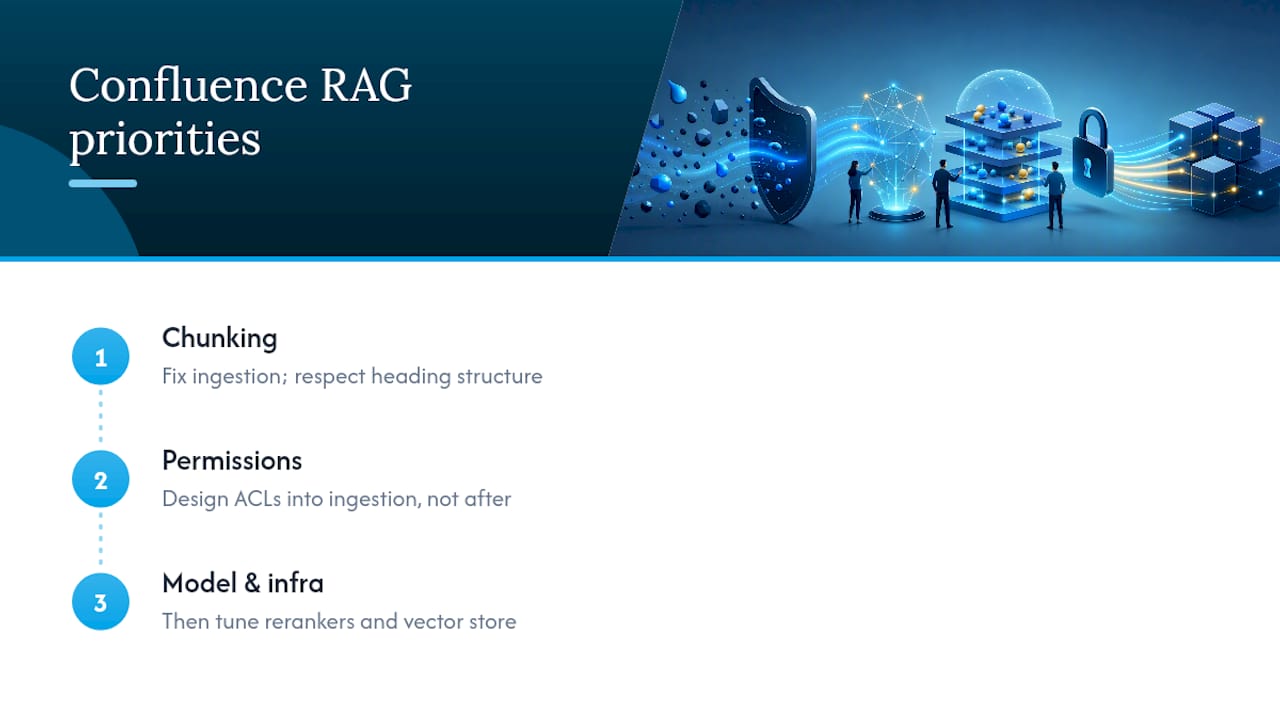
If there's one priority for a team starting this now, it's this: get the chunking right, get the permission model right, and only then start worrying about which reranker or vector store to use. The rest is tuning.
— Oded
Get help building your Confluence RAG pipeline
Consultancies can build working Confluence RAG demos in days rather than months, with fixed pricing and full ownership of what gets built. If your team wants an audit of an existing pipeline, a rapid MVP to prove the pattern works on your own Confluence spaces, or a full production integration with permission-safe retrieval baked in from the start, that work sits squarely within AI Integrations & Enablement. For teams starting from scratch, a Rapid MVP gets a working prototype in front of stakeholders fast, with ongoing support available once it's live. Real-studios also handles the wider picture through its core services, including Generative Engine Optimisation for teams that want the same structured, retrieval-friendly content approach to improve how they show up in AI search results. Get in touch to scope an engagement.
Sources
- Semantic chunking for RAG (Unstructured insights)
- Enterprise Confluence RAG (structure-aware pipeline) — GitHub
- RAG over SharePoint, Confluence and Google Drive: permissions-first architecture
- Azure AI solutions
FAQ
What is the best way to fetch Confluence content for RAG?
Use the Confluence REST API with CQL scoping, ideally restricted to labelled pages such as label = "rag-kb", rather than ingesting entire spaces. This creates an auditable content boundary and avoids indexing stale or irrelevant pages.
Should I use Weaviate, Qdrant, or Azure AI Search?
Weaviate and Qdrant suit self-hosted setups where you want direct control over hybrid search configuration, while Azure AI Search fits teams that prefer a managed embedding and search platform. The choice depends more on operational appetite than raw capability.
How do I stop RAG from exposing restricted Confluence pages?
Attach versioned ACL metadata to every chunk at index time and filter by user identity during retrieval, never after. This is the recommended approach for permission-safe RAG, since post-retrieval filtering has already exposed restricted content by the ranking stage.
What latency should a Confluence RAG pipeline target?
A well-built pipeline with a capped rerank pool and hybrid retrieval can hit p95 latency under 900 milliseconds, as shown in one production deployment. Capping the rerank candidate pool at around 50 chunks is the main lever for keeping that budget under control.
Can Real-studios build a Confluence RAG integration for my team?
Yes. Real-studios builds custom RAG, automation, and integration projects for UK businesses, including rapid MVPs and full production builds with post-launch support, detailed on its services page. Current pricing details can be found by contacting the service provider through their website.